Updating payment method
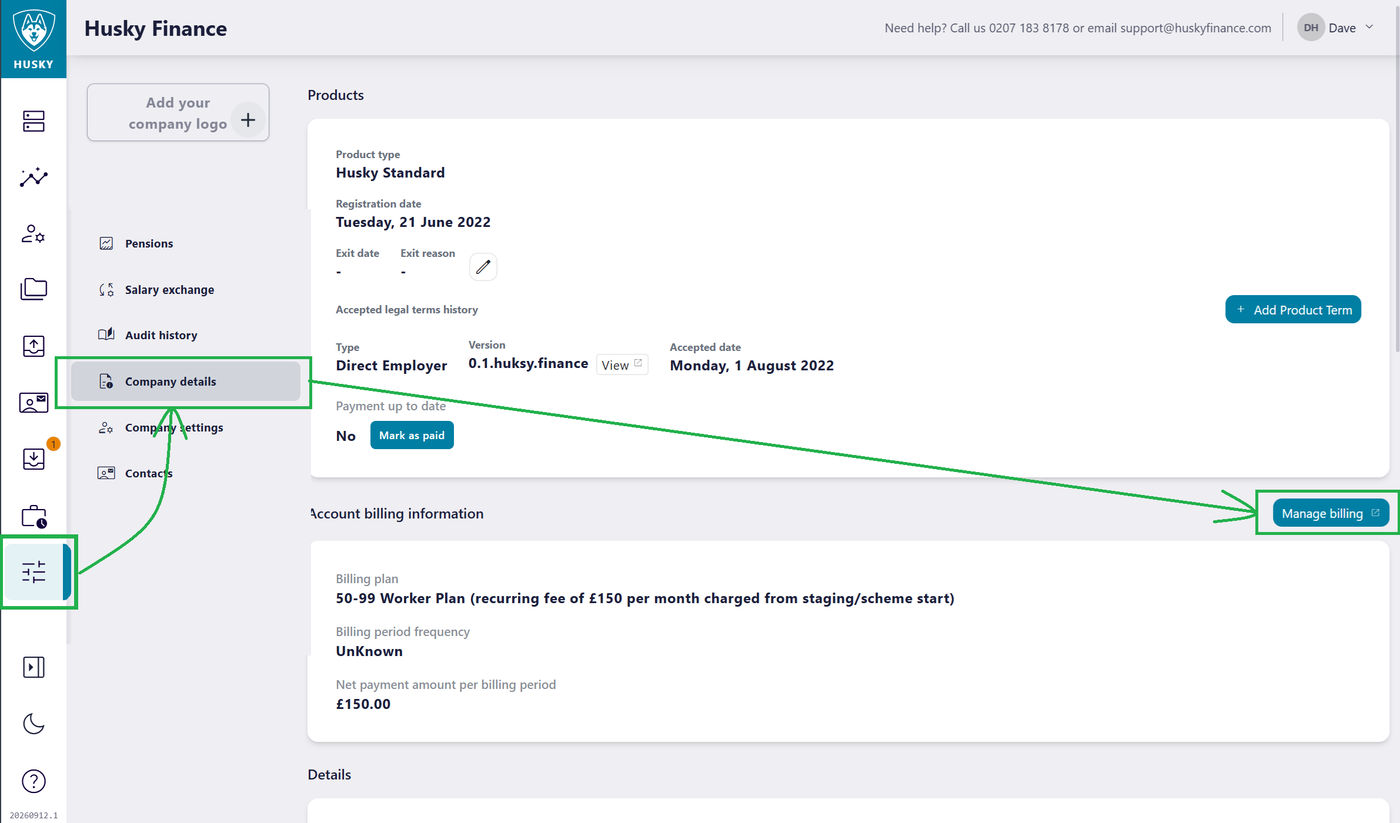
From the portal open the settings page, click the Company details button. Then click Manage billing
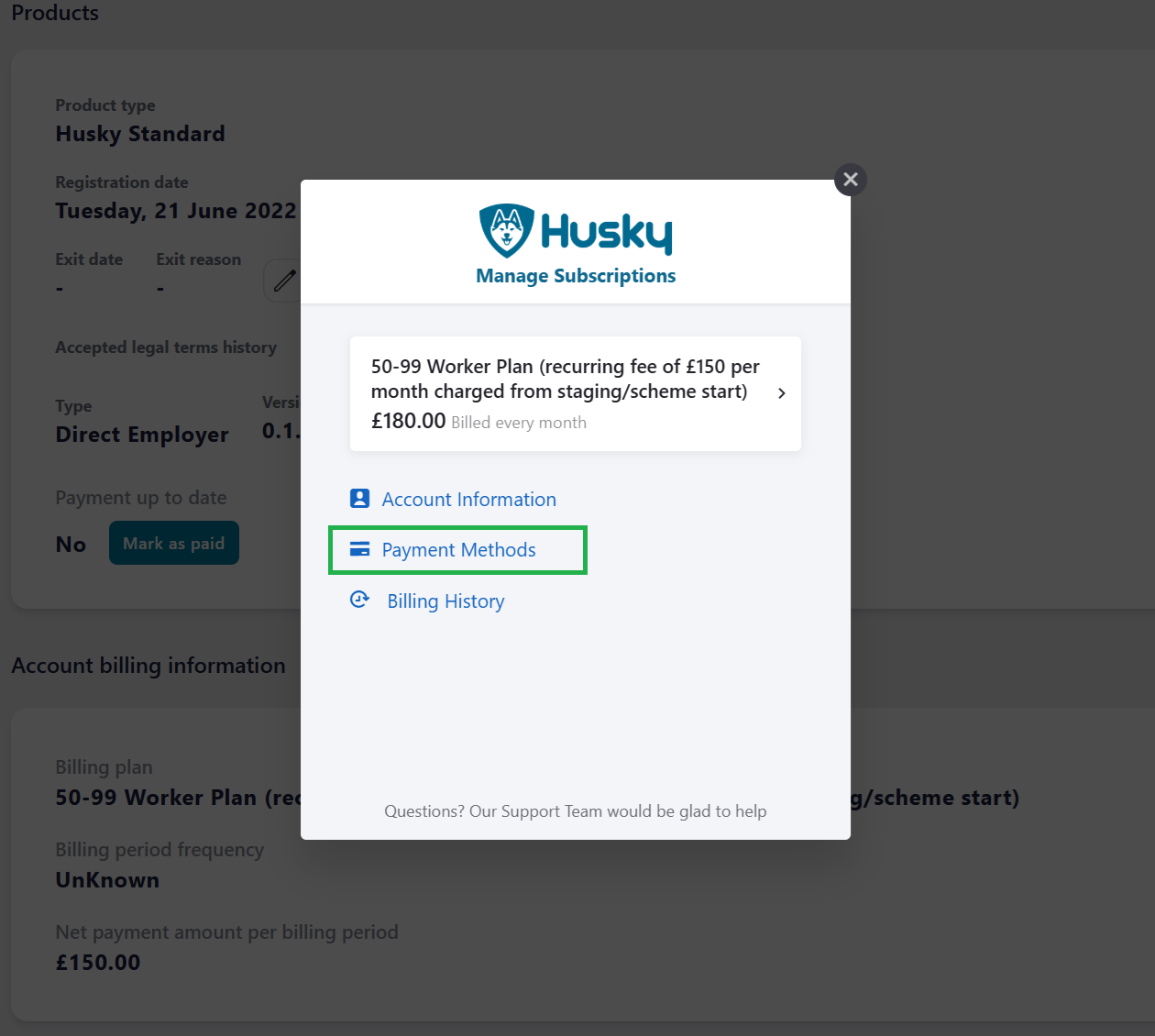
Select Payment Methods
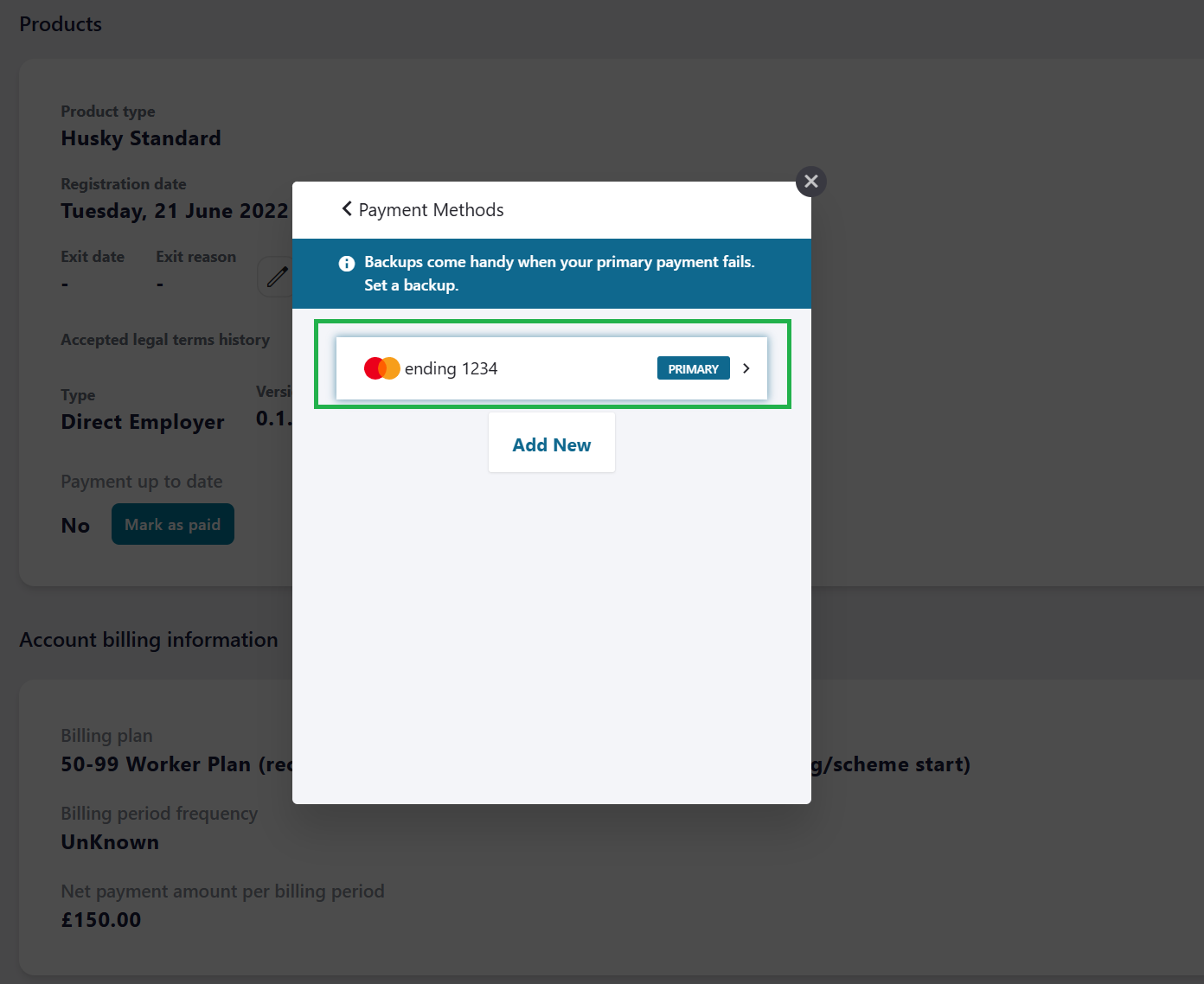
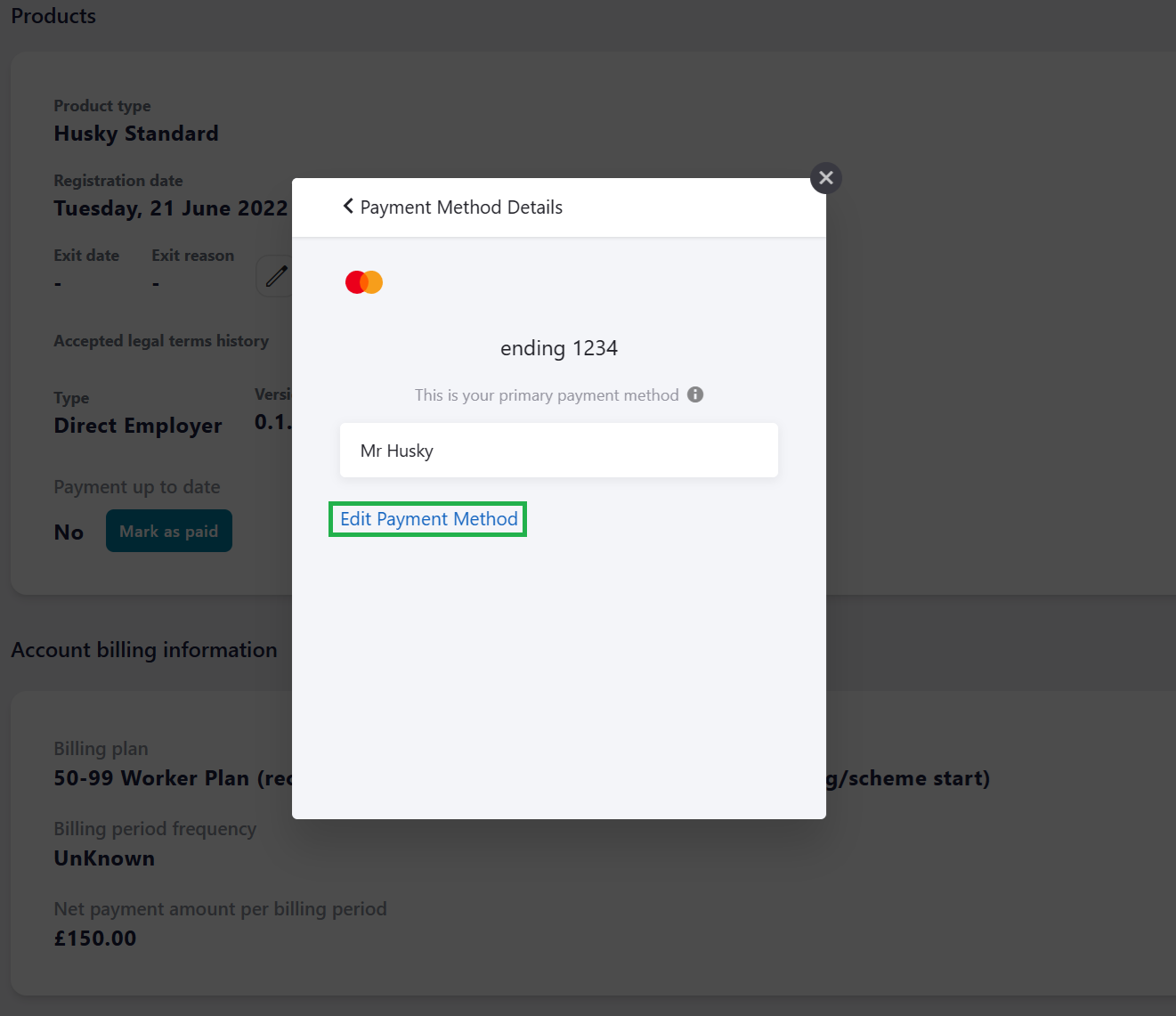
Select the existing payment method (You can add a new payment here and after set it to the primary payment, steps for adding and editing are the same)
Click Edit Payment Method
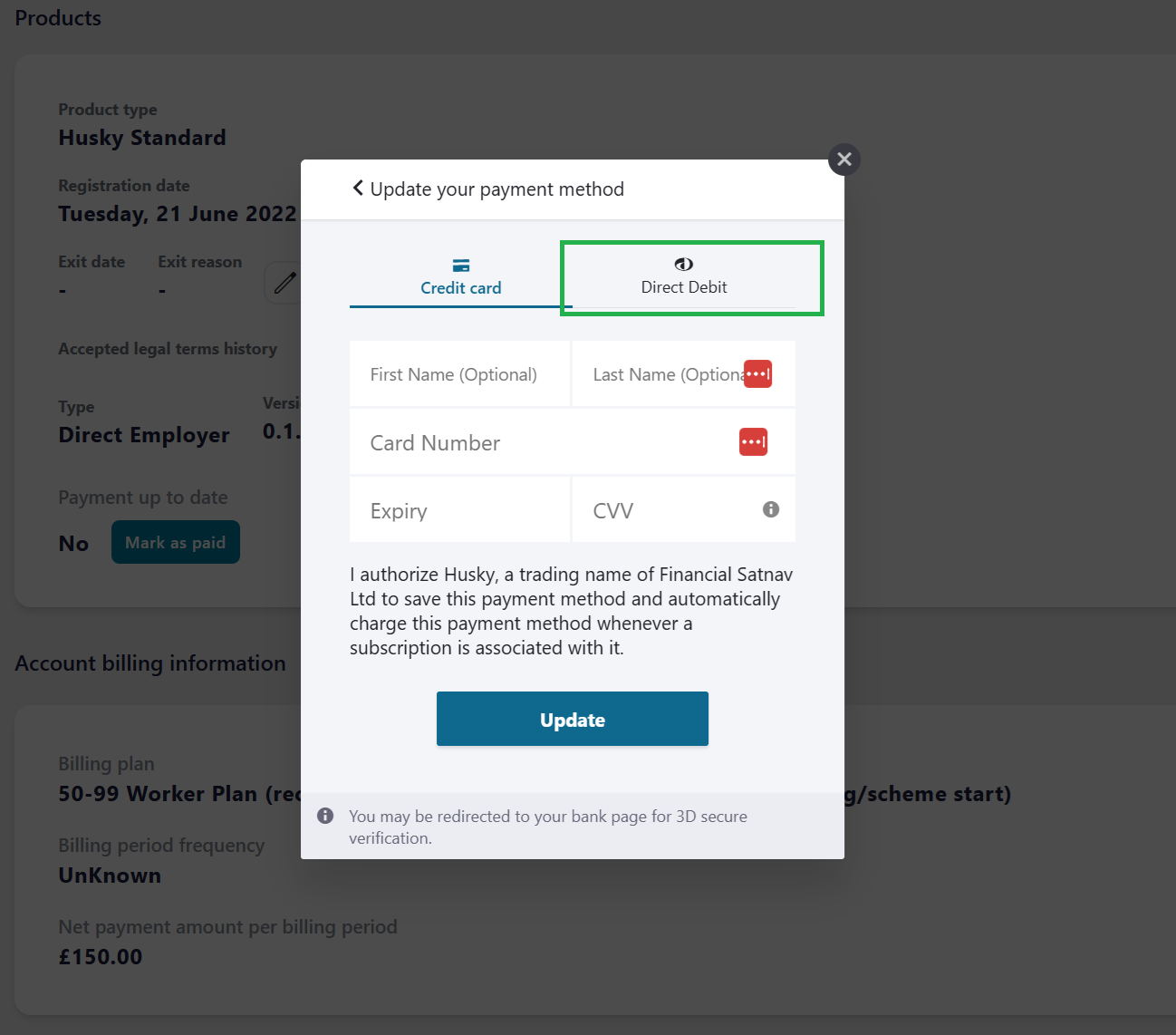
Here you can enter new Credit card details or click Direct Debit to add DD payments
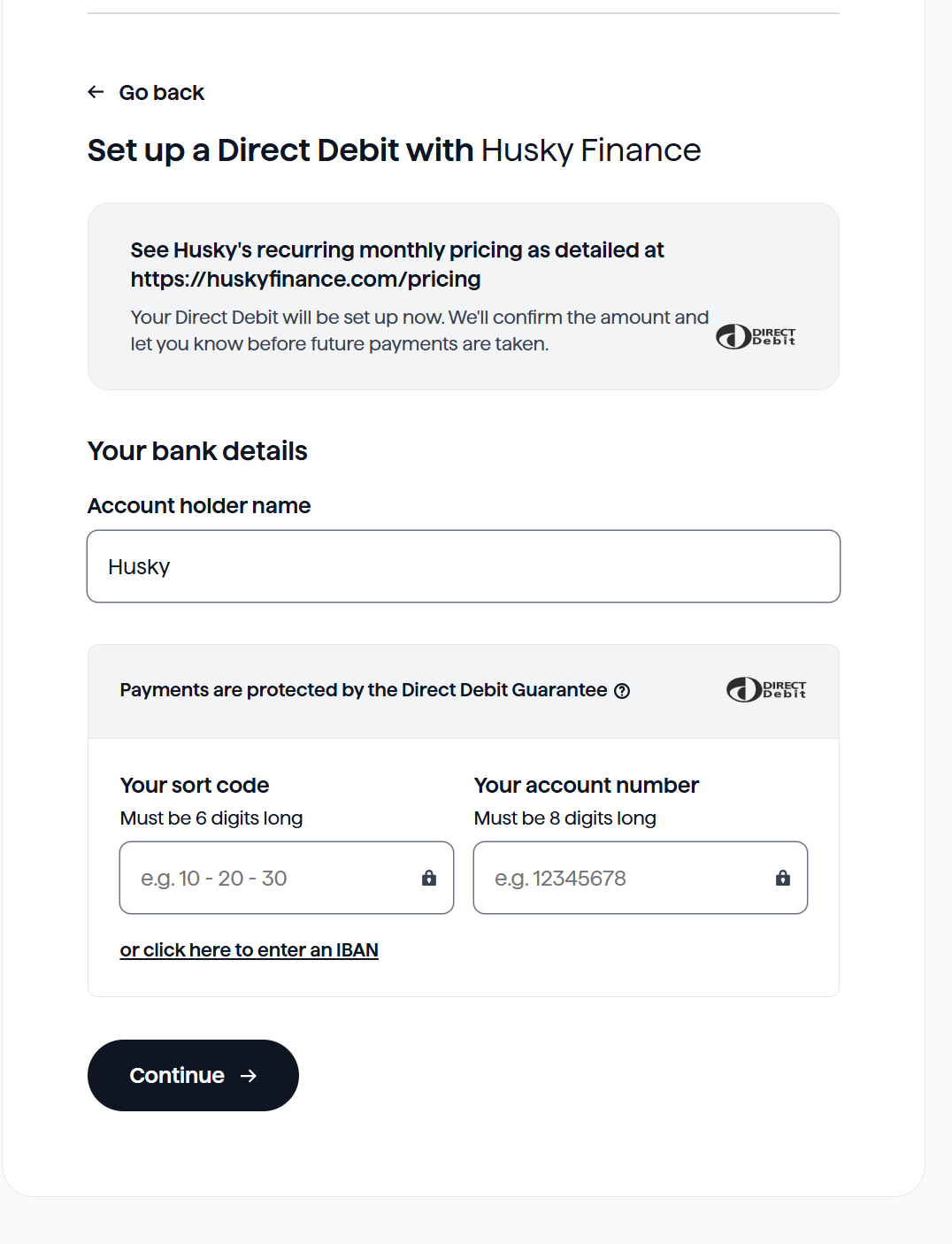
The Direct Debit option opens the DD set up form. Complete the details and submit to set up DD payments.
Updating email address used for invoicing
From the portal open the settings page, click the Company details button. Then click Manage billing
Select Account Information
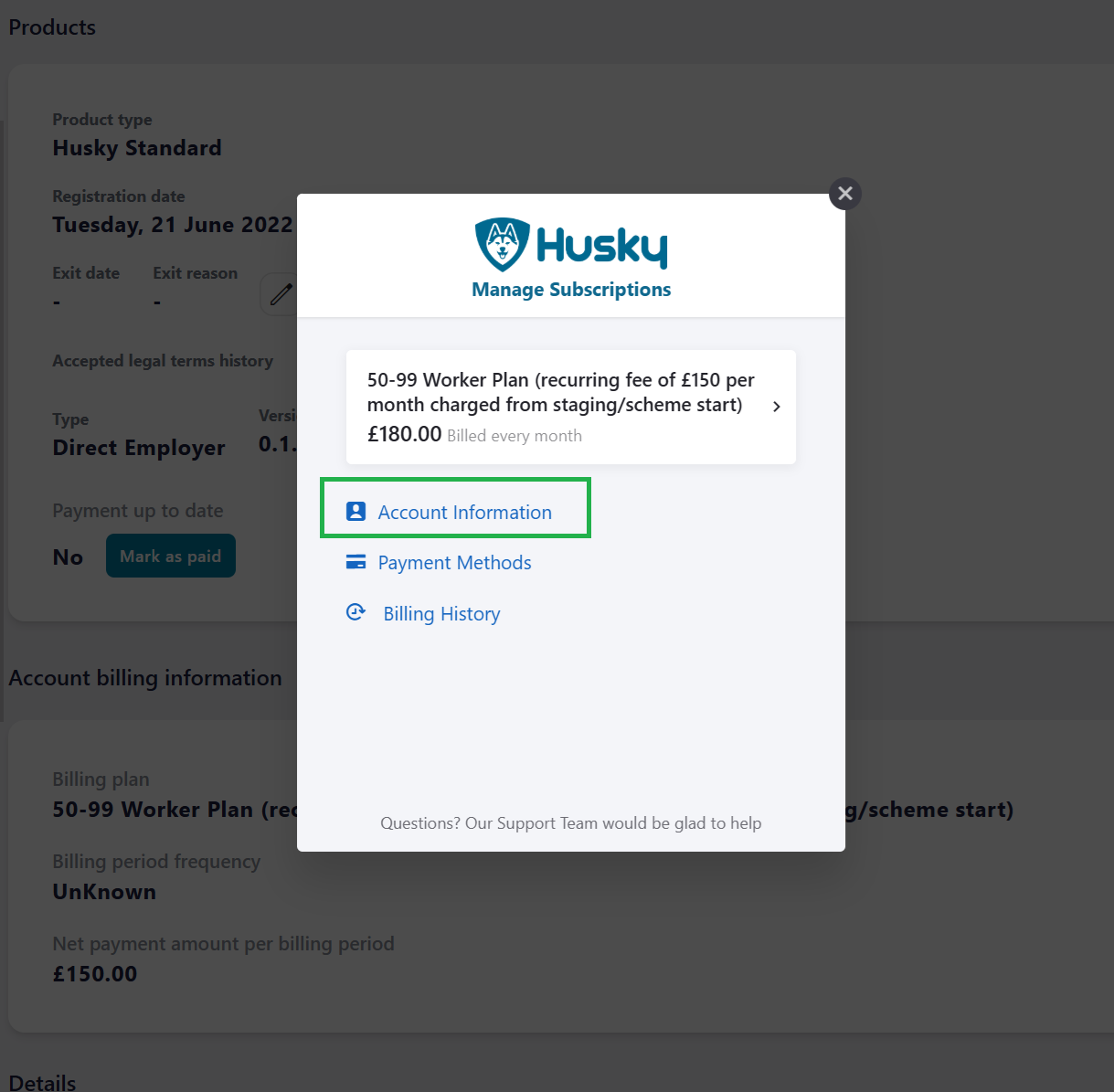
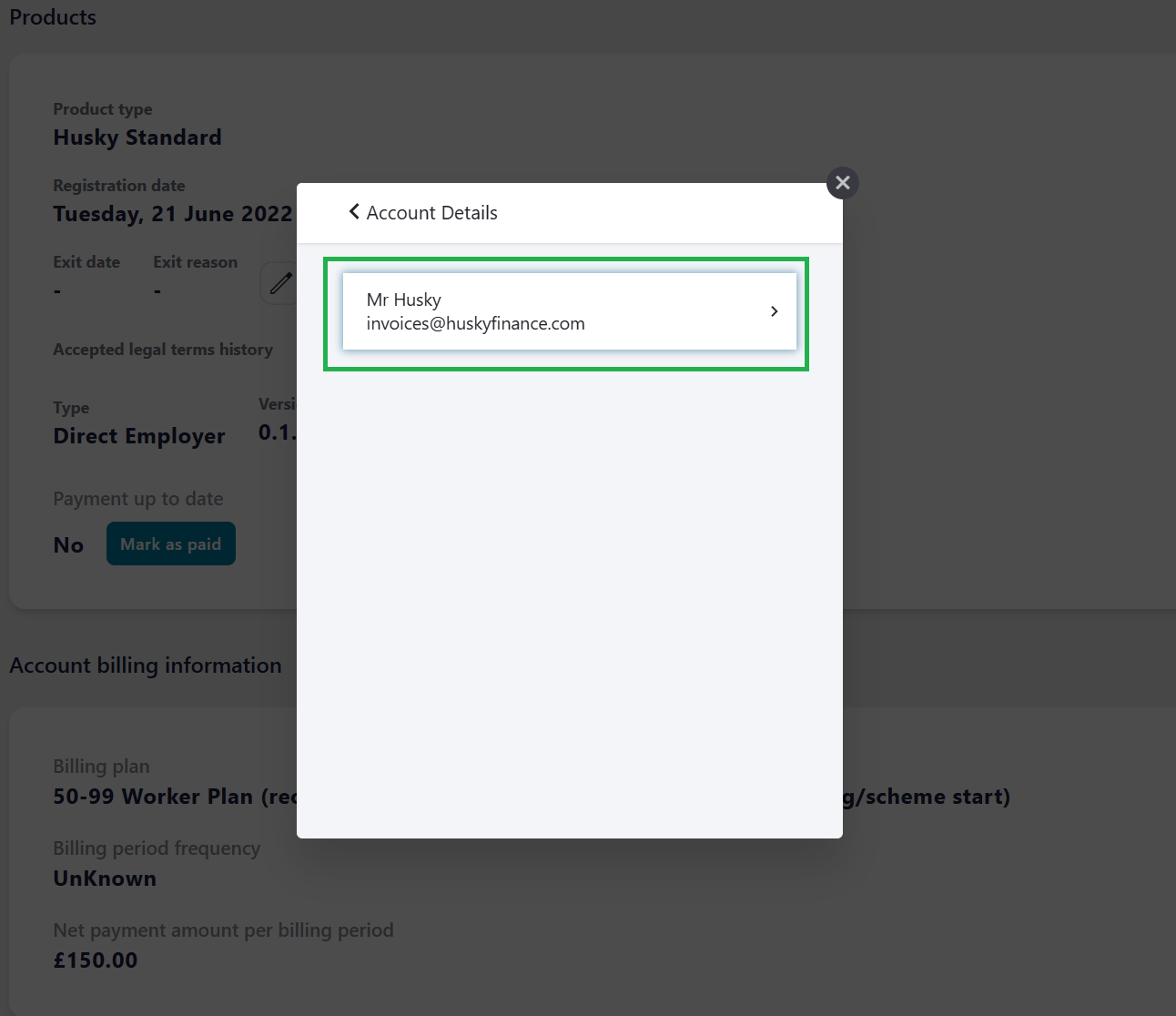
Select the existing Account
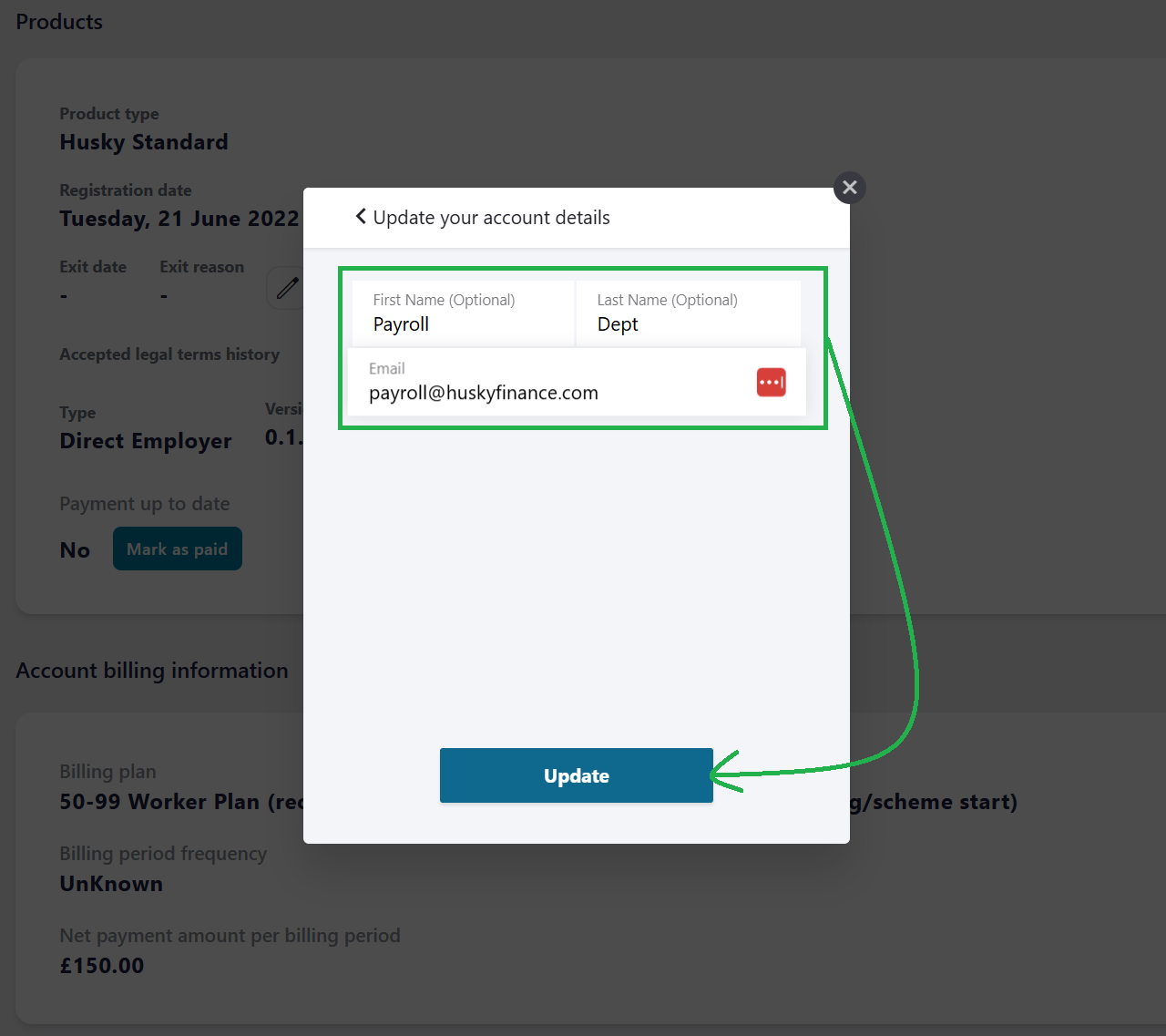
Enter the new email address and click update to submit the change. (First and Last name are optional)